Konstruct

AI-powered assistants that understand your product from idea to code, letting you focus on delivering value.

Supports multiple LLM Providers

Cursor
Anthropic
OpenAI
AWS
Ollama
RunPod
Hugging Face

How does Konstruct Work

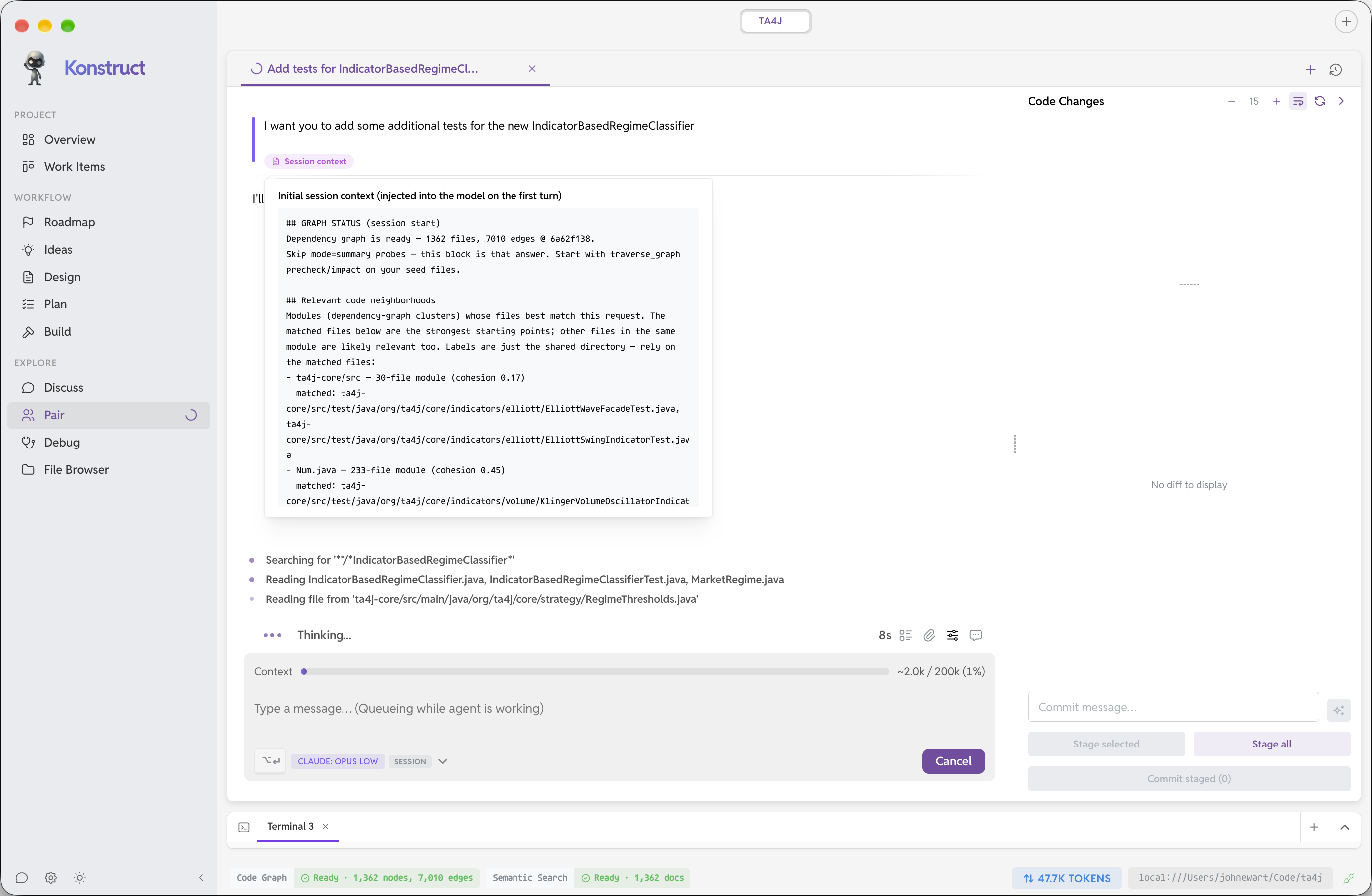
AI works best with clear definitions, accurate data, and direct instructions. Konstruct helps you with those as you capture ideas, designs, and plans—so assistants get the clarity and context they need to execute well.

Code Graph

The Code Graph combines structure-aware indexing with semantic search so you can explore and query your codebase with precision. Indexing and graph analysis currently cover Go, TypeScript, and Python, with more languages on the way. In a single workspace, Konstruct can index and map your project across multiple repositories, giving assistants one connected view of how your system fits together.

That connected view helps assistants better understand your code and your project, giving them the context they need to be more effective and accurate.

From Ideation To Implementation

Ideation

Capture goals, constraints, and rough ideas in one place so you start from a shared picture—not a blank chat.

Design

Turn fuzzy intent into concrete designs: flows, boundaries, and tradeoffs your team can review before anyone writes code.

Plan

Break designs into ordered, specific steps assistants can follow, helping to answer open questions they have about the design—clear scope, fewer wrong assumptions.

Implement

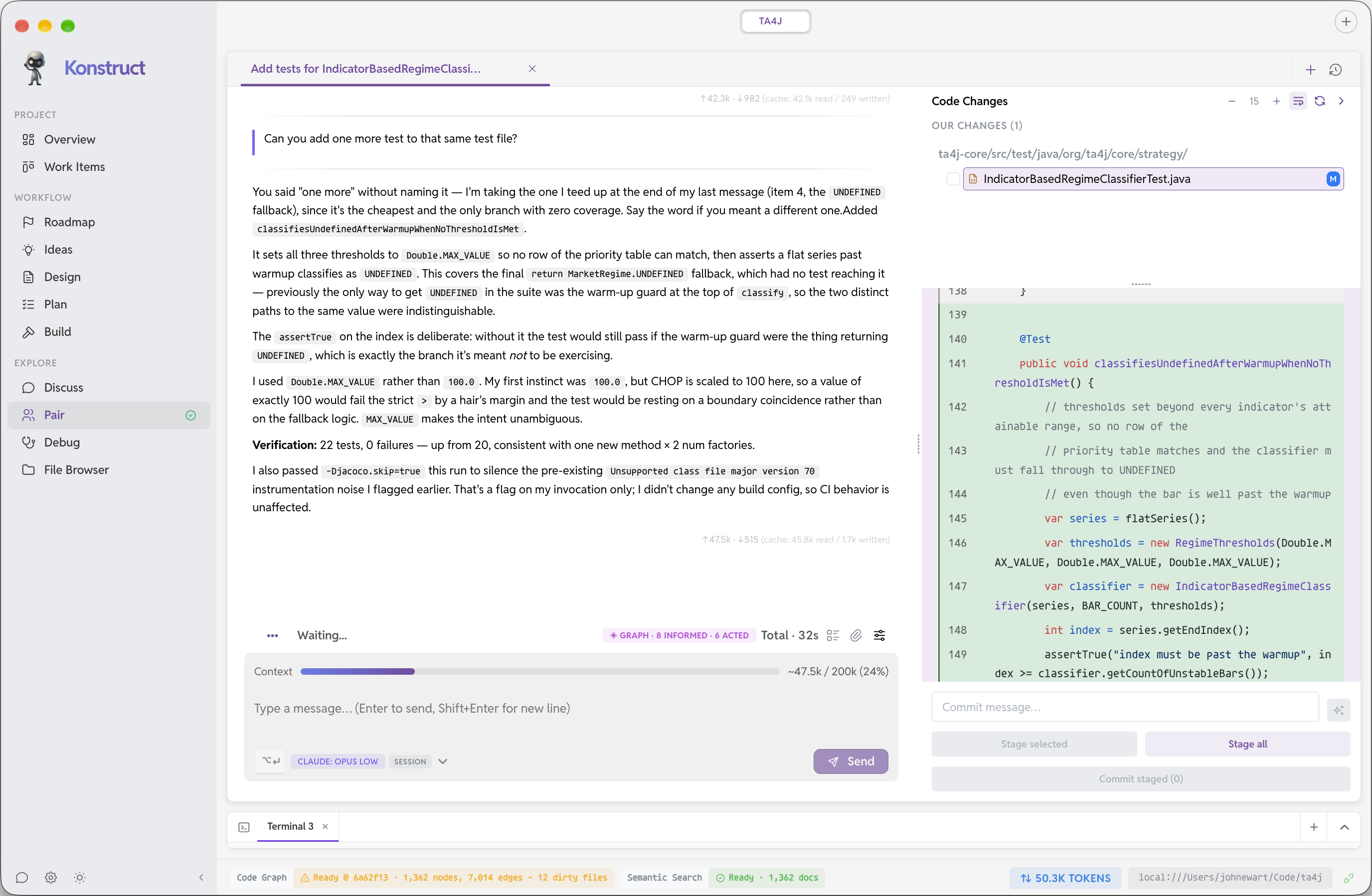
Execute the plan: features, fixes, and refactors grounded in the designs and following the plan of action you created.

Screenshots

Features

Some of the capabilities in this section may require a Konstruct Pro license in the app. See Free vs. Pro below for more detail.

🚀

Local or Cloud-based AI

Run your own LLMs locally, spin-up RunPod GPUs with ease, or use one of the many supported Cloud-based AI products available and switch between them.

🔍

Code Graph

Deep understanding of your codebase with AST parsing, symbol extraction, and intelligent search capabilities.

🏗️

Multi-Provider Support

Don't get locked into one provider - Konstruct works with Local LLMs, OpenAI, Anthropic, AWS Bedrock, Claude, Cursor and RunPod through a flexible provider interface.

🛠️

Project Intelligence

Automatically detects project structure and learns your coding patterns, conventions, and rules.

Git (and GitHub) Integration

Stage files, craft commit messages, and work with your repo locally. View pull requests across your project's repositories and get Konstruct's guidance on what to look for and overall quality.

📋

Project Rules

Store and retrieve project-specific coding patterns, guidelines, and best practices.

Free vs. Pro

Remote or Local Development

Each project pairs with a small workspace-daemon that runs next to your sources. The same design works on your laptop, inside dev containers, or on remote VMs over SSH, so shells, search, graphs, git, and file operations stay routed through the workspace instead of ad-hoc host access. Helps reduce agent access to files outside of your project, limiting the blast radius of a mistake.

Free tier

Try Konstruct for free

  • Local, container-based and SSH workspaces
  • Multi-repository projects
  • Up to 3 workspace projects
  • Up to 5 Git repository entries per project
  • Up to 3 concurrent agent runs
  • Local LLM management — browse, download, and run on-device GGUF models with llama.cpp integration
  • GitHub integration — view PRs for all repositories in your project and get Konstruct's guidance on what to look for and overall quality
  • Code review — multi-repository diff management, automated commit message generation, and a PR-like workflow for interacting with your agents
Pro · coming soon

Konstruct Pro

  • Unlimited projects, repositories per project, and concurrent agent runs
  • Plugins — extend Konstruct with plugins or build your own
  • Dependency insights — identify out-of-date immediate and transitive dependencies, see which ones have CVEs, and have Konstruct analyze the impact of updating them.
  • RunPod — manage RunPod instances and start / stop them as you like to manage costs.